Install as app

In Chrome or Edge, look for “Install app” or “Install this page as an app” in the address bar or browser menu.

If this embedded browser has no install option, open this page in Chrome, Edge or Safari. If already installed, open it from your desktop or home screen.

Installation opens the website in an app window. Loading pages and AI features still require an internet connection.

Passport, visa and ID photo sizing

Online Passport & Visa Photo Generator

Crop and resize your portrait, choose a photo size and download a 4x6 inch print sheet. No account needed. Check your issuing authority’s requirements before submitting.

Local photo cropping
Print-size JPEG with 300 DPI metadata
4x6" Printable Sheet Included
No Registration Required
Step 150.8 × 50.8 mm (300 DPI)

Select Country / Document Preset

2 x 2 inches (50.8 x 50.8 mm). Head must be between 1 - 1 3/8 inches (25 - 35 mm) from bottom of chin to top of head.

Application route and original sources

For a paper application. Online passport renewal has its own original-photo upload workflow; a 600 × 600 print crop is not an online-renewal recommendation.

Compare sizes and application workflows →
Standard background: Plain White
Step 2Upload or Capture Portrait

Drag & drop your photo here, or click to browse

Supports JPG, PNG, WEBP. Use a clear front-facing portrait with both eyes and ears visible.

Browse Local Photos
Step 3Fine Tuning

Canvas background color

Fills empty canvas or transparent areas only. Does not automatically remove or replace the photo background.

Zoom & Crop1.00x
Fine Rotation0°
50.8 × 50.8 mm300 DPI JPEG

File and crop checks / Export details: 600 × 600 px · 50.8 × 50.8 mm

4×6 inch sheet: 1800 × 1200 px · 2 photos with cutting space

Upload a real photo or use your camera to begin. The sample is only for trying the controls.

Reference lines help positioning; they do not detect faces or certify acceptance. Manually check sharpness, head size, background and your authority’s instructions. Print at actual size and measure the result.

Drag photo to reposition
Adapted for iOS 2-finger pinch zoom & 1-finger pan
Mac Trackpad smooth pinch & wheel zoom
Rules to check with your authority
A real, recent photograph; do not use an AI-generated face
Plain white or off-white background with even lighting
Face the camera with eyes visible and a neutral expression
Remove glasses; consult the authority for medical exceptions
Check the full rules for head coverings and photo age
Use photo-quality paper and verify the final printed size

Popular passport and visa photo sizes

These templates calculate print dimensions. Open the application notes to check whether an original upload, professional photograph or another workflow is required.

Read the size comparison and official source notes →

US50.8 × 50.8 mm

United States — printed passport photo

2 x 2 inches (50.8 x 50.8 mm). Head must be between 1 - 1 3/8 inches (25 - 35 mm) from bottom of chin to top of head.

Bg: Plain WhiteUse this size
CN33 × 48 mm

China — printed visa photo

33 x 48 mm standard. Head height between 28 - 33 mm, head width between 15 - 22 mm.

Bg: Pure WhiteUse this size
EU35 × 45 mm

Schengen visa — 35 × 45 mm reference

35 × 45 mm print reference. Head framing guides are illustrative; check the receiving consulate’s specimen and rules.

Bg: Light Gray / WhiteUse this size
GB35 × 45 mm

United Kingdom — printed passport photo

35 x 45 mm. Head size from crown to chin between 29 - 34 mm.

Bg: Light Cream or Light GreyUse this size
JP35 × 45 mm

Japan — printed passport photo

35 x 45 mm. Head height 32 - 36 mm, space above head 2 - 6 mm.

Bg: Plain Light Color / WhiteUse this size
CA50 × 70 mm

Canada — passport size reference

50 x 70 mm. Face height between 31 - 36 mm from chin to natural top of head.

Bg: Plain White or LightUse this size
AU35 × 45 mm

Australia — printed passport reference

35 × 45 mm reference within the official size range. Head height 32–36 mm; printing and capture requirements also apply.

Bg: Plain White or Light GreyUse this size
IN50.8 × 50.8 mm

India OCI — 2-inch print reference

Exactly 2 × 2 inches for the OCI print reference. The live OCI portal has separate upload and background instructions.

Bg: Check mission instructionsUse this size

How It Works: 3 Simple Steps

Prepare a photo at home, review the requirements and export the size you need.

1

Select Country & Upload Photo

Read the application note for a preset or enter custom millimeter dimensions. Some processes require an original digital upload or a commercial photographer. Use a real portrait only when the receiving process permits this preparation workflow.

2

Adjust the crop and framing

Use the head-top reference and chin range to help position your face. These are visual aids, not an automatic compliance check. Background color fills the canvas; it does not remove an opaque background.

3

Download Single or 4x6" Sheet

Export an individual JPEG with the selected print dimensions after checking the application’s editing and upload rules, or download a printable 4x6" paper layout with multiple arranged photos ready to print at your chosen provider.

Local editing, optional online AI

Crop locally and stay in control

PhotoID Studio crops and resizes your selected portrait inside your browser. You can compare the preview with the source, adjust its framing and create a print sheet without sending the photo to our server.

Local editing: The editor crops your selected image locally. Optional AI prompts and chat messages are sent to Google through our server; see our Privacy Policy.
High-precision 300 DPI: Export dimensions are calculated for 300 DPI printing. A sharp original is essential; resizing cannot recover missing detail.
4x6" print sheet: The sheet is 1800 × 1200 pixels for 6 × 4 inch paper at 300 DPI. Paper sold as 10 × 15 cm is not exactly the same size; check the printer settings and measure the result.

Before you print

Photo editing and download:Free
Printing at a shop:Priced by provider

Download the 4x6 inch sheet and print at actual size. Turn off automatic cropping and fit-to-page scaling. Measure a printed photo before cutting; printing charges vary by provider.

Get from a portrait to a usable photo

Work through the steps that affect the result: a clear original, the right output dimensions and a print that keeps its actual size. These guides explain the editor’s limits as well as its controls.

Choose the deliverable before cropping the photo

Open the photo instructions for your exact application and note the deliverable: the original camera file, a prepared single image, or paper copies. Keep the unedited original before choosing a preset. The same document can have separate online and paper workflows, so a country name or size label alone does not tell you which file to submit.

Three destinations, three different file checks
What the receiving process asks forWhat to doCheck before sending
Original digital photographKeep the camera original. Use the application portal’s own cropping step when that is the requested workflow.Verify original pixels, format and file-size limits. A printable sheet is not an original camera file.
A single image you are permitted to prepareAfter confirming editing is permitted, select dimensions, position the image and download the single JPEG.Reopen the saved file and check its pixels and framing. Correct dimensions do not establish full photo compliance.
Paper copies you are permitted to printDownload the 1800 × 1200 pixel sheet and print at actual size on 6 × 4 inch paper.Disable fit-to-page and automatic cropping, then measure both photo edges before cutting. Use a professional photographer when your application requires one.

A worked export you can reopen and inspect

The images are our synthetic calibration graphic, not a person’s ID photo. The source is 800 × 1000 pixels; the saved JPEG for the 35 × 45 mm print-size example is 413 × 531 pixels with 300 DPI metadata. Open the two files to compare edge markers and the crop boundary.

At 300 DPI, 35 ÷ 25.4 × 300 rounds to 413 pixels and 45 ÷ 25.4 × 300 rounds to 531. Rounding creates a small physical-size difference. This checks export geometry; it does not evaluate a face, lighting, identity or application acceptance.

DPI metadata does not lock a printer’s scaling. At 90%, a 35 × 45 mm rectangle becomes about 31.5 × 40.5 mm. Test your settings with the calibration page and measure the final photo too. These are calculated dimensions, not measurements from a physical print.

See the complete export record and its limits →
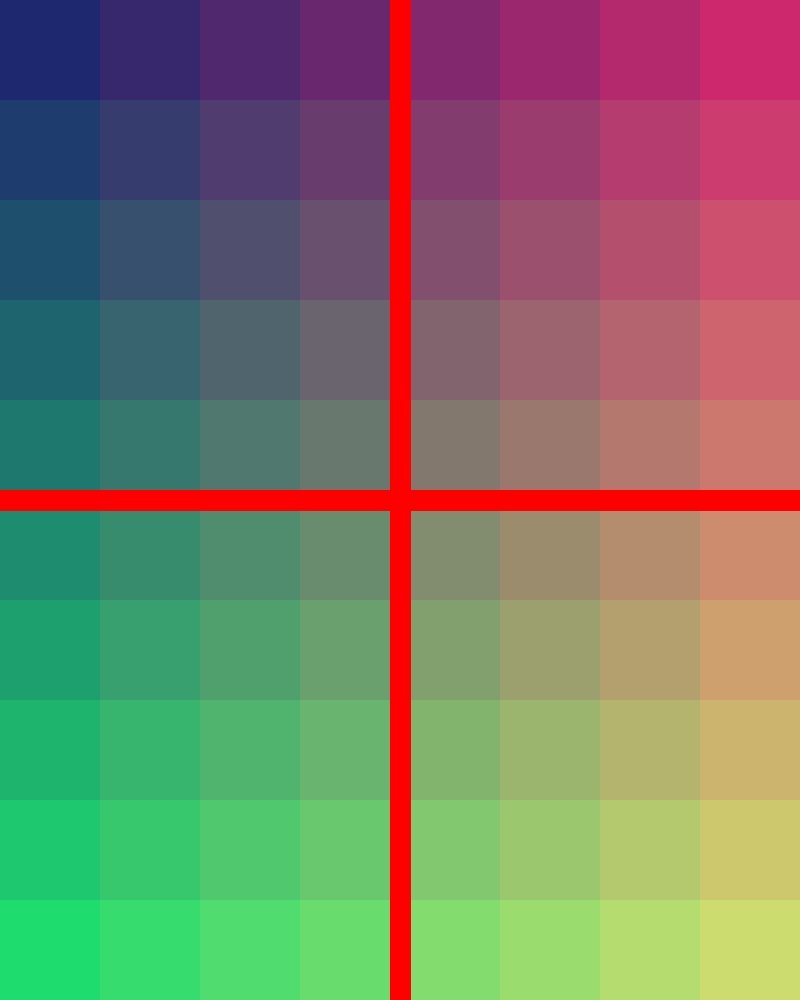
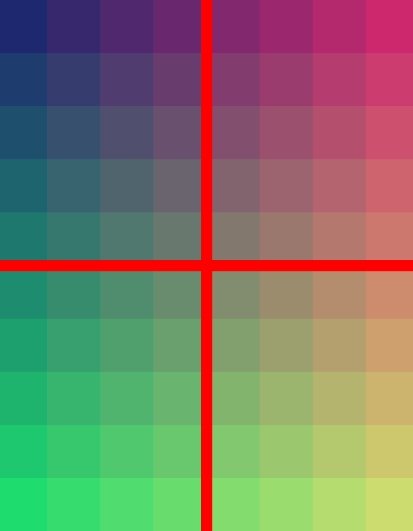
Synthetic source graphic with edge markers, 800 by 1000 pixels
Software test source: 800 × 1000 px
Saved crop for the 35 by 45 mm print example, 413 by 531 pixels
Reopened export: 413 × 531 px, 300 DPI

After downloading, check in this order

  1. Reopen the JPEG from your downloads list or file manager. Check whether it is a single photo or a multi-photo sheet and read its pixel dimensions. Its size on your screen is not a file-property check.
  2. Inspect sharpness and all four corners. Retake a blurry original or one with face shadows or an unsuitable background. The canvas color control does not remove an opaque background in the source.
  3. Check the application’s editing, upload or printing rules separately. If a portal rejects a file, record its exact error before changing settings. Repeated DPI changes or uploading a sheet as a single photo may not address that error.

Troubleshoot the step that failed →

Browse all photo guides →

Frequently Asked Questions

Start here for tool costs, photo preparation and choosing the right size.

Is the photo maker free?

The core cropping, sizing and download tools are currently free with no account required. External printing services may charge for paper copies. Clicking ads is not required.

How do I make an ID photo?

Check the application method first: some processes require an original digital upload or a commercial photographer. Where this editing workflow is permitted, select a sharp, recent portrait, choose the print dimensions, adjust the crop and inspect the downloaded result.

Which size should I choose?

Use the dimensions for your exact document and application method. Presets primarily calculate print dimensions. Printed and online applications may differ, and generic sizes do not imply an official document. Read the preset’s application note and original sources before preparing a file.

Advertising is currently off

This page does not load Google ads. Photo cropping still runs locally in your browser. Dismissing this notice only remembers that you have read it; it does not grant advertising or tracking consent. Privacy details

Privacy and cookie settings

Google advertising is off on this page and its ad script is not loaded. You can still edit and download your photo locally. This notice is not a request for advertising consent.

Read the privacy policy and data choices

Privacy questions: v4088697@gmail.com